
Efficient 2D drafting for macOS users
AutoCAD LT delivers essential 2D drafting and documentation tools for professionals needing precise drawings on macOS. It offers DWG support, accurate geometry editing, annotation, and layering tools that help users produce detailed plans efficiently. AutoCAD LT for Mac also includes cloud storage integration, enabling seamless access and collaboration across desktop, web, or mobile platforms.
Top Recommended Alternative

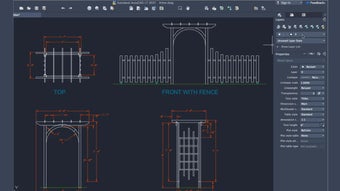
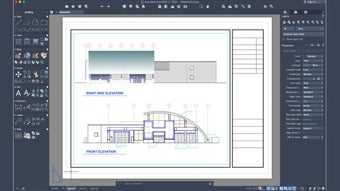
For those focused on professional drafting workflows, AutoCAD LT provides a streamlined experience with block management, easy annotation, and reliable DWG compatibility. Its tools help maintain consistency and accuracy, making it practical for creating detailed layouts and documentation without requiring 3D modeling.
Solid 2D drafting workflow with macOS integration
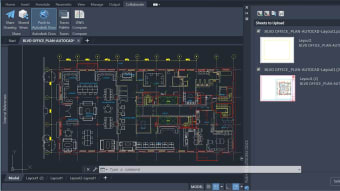
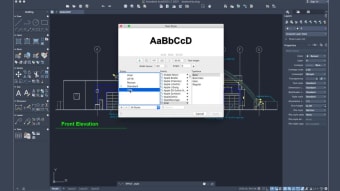
AutoCAD LT provides full 2D drawing, editing, and annotation capabilities, including dimensioning, layers, blocks, text, and tables. Productivity tools like Count, Trace, and drawing comparison help users review, mark up, and manage revisions efficiently. Alternatives such as LibreCAD or DraftSight offer lighter 2D solutions, but their integrated feature set ensures reliability for professional use. The software runs smoothly on current macOS hardware and supports efficient file management.
The subscription includes cloud collaboration, mobile and web access, and regular updates, ensuring continuous workflow improvements and stability. While full 3D modeling and advanced rendering are not included, it excels in precise 2D documentation, supporting architects, engineers, and designers who require dependable, streamlined drafting workflows. Its tools maintain accuracy, simplify project management, and provide an efficient solution for professional users needing reliable 2D CAD functionality without extra complexity.
Its intuitive tools help maintain organized project data, reduce repetitive tasks, and enable smooth review and feedback. The software delivers stable performance, ensuring consistent productivity for teams and individual users. While advanced customization options are limited, it remains a reliable solution for professionals prioritizing accurate, efficient, and precise 2D drafting on macOS, providing a streamlined workflow that supports detailed technical drawings without unnecessary complexity or distractions.
Precision, power, and project flexibility
AutoCAD LT by Autodesk is a powerful 2D documentation and drafting tool that offers a cost-effective alternative to the full AutoCAD suite. Its comprehensive feature set, including automation tools, collaborative capabilities, and platform versatility, empowers users to enhance their drafting experience efficiently and precisely. The flexible subscription plans and a risk-free 30-day trial further cater to diverse project timelines and requirements, making it a trusted choice for architects, engineers, and construction professionals.
What are the system requirements of AutoCAD LT?
- Operating System: Apple macOS Monterey v12, Big Sur v11 or Catalina v10.15
- Model: Apple Mac Pro 4.1, MacBook Pro 5.1, iMac 8.1, Mac mini-3.1, MacBook Air, or MacBook 5.1
- CPU Type: 64-bit Intel CPU / Apple M series CPU
- Memory: 4GB or higher
- Display Resolution: 1280 x 800 display or 2880 x 1800 with Retina display
- Disk Space: 5 GB free disk space for download and installation
- Display Card: Mac native installed graphics cards
- Disk Format: APFS, APFS—Encrypted, Mac OS Extended—Journaled, Mac OS Extended—Journaled, Encrypted


















.webp)
.webp)